
Key Takeaways
CarGurus Price Analysis
CarGurus Price Analysis is a real-time rating system that compares an individual car listing's asking price against similar vehicles currently for sale in the same market. It assigns one of five labels — Overpriced, High Price, Fair Price, Good Deal, or Great Deal — to signal how competitively a listing is priced. Unlike traditional valuation tools that estimate a car's worth in the abstract, CarGurus anchors its rating to actual live market supply and demand.
The algorithm factors in mileage, trim, options, dealer history, days on market, and geographic radius to produce a market-relative price score, not an absolute vehicle value.
How CarGurus Builds Its Price Rating
Most valuation tools — KBB, Edmunds, NADA — work backward from historical transaction data and condition surveys. CarGurus works differently. It crawls live listings across dealer lots and private sellers, then positions each listing against a real-time comparison set of similar vehicles within a defined geographic radius, typically 50 to 100 miles, expanding outward if local inventory is thin.
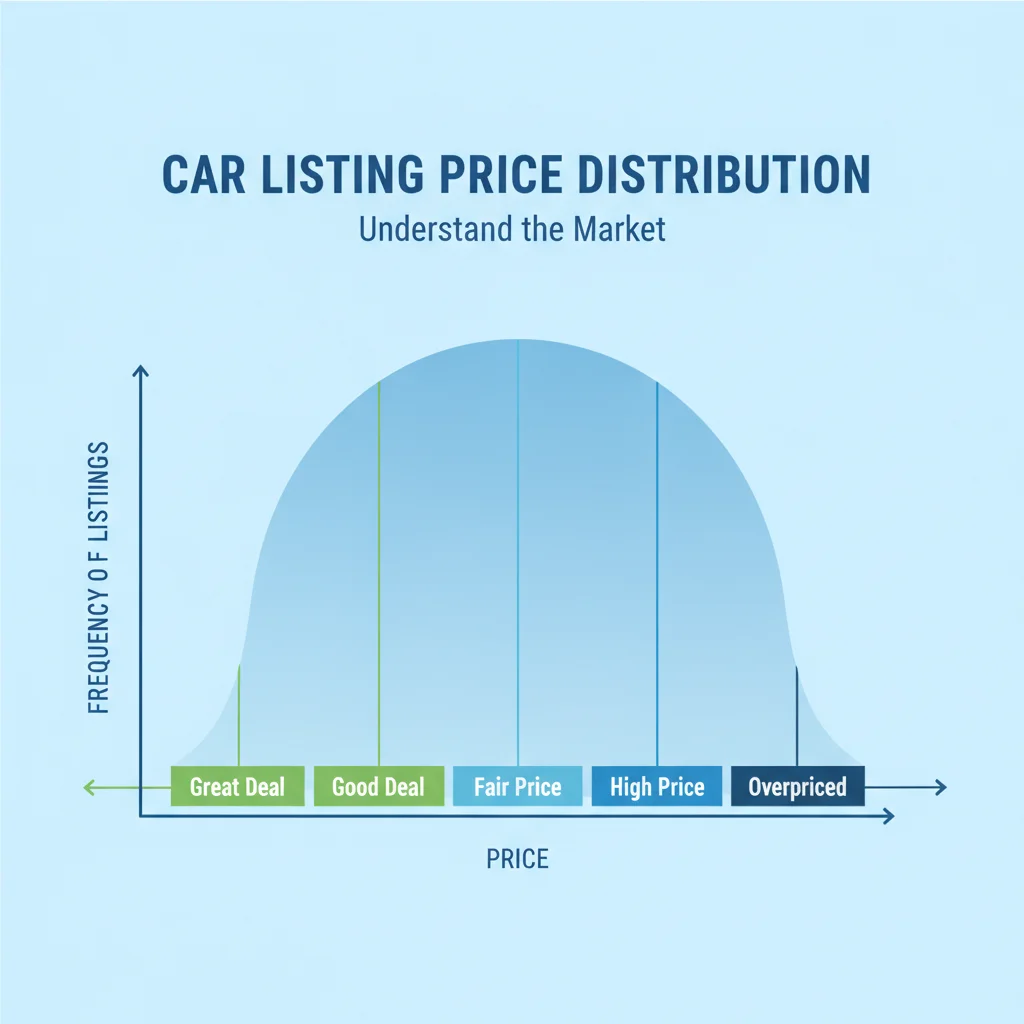
The algorithm builds a distribution of asking prices for vehicles that match on key variables:
- Year, make, model, and trim — a base LT trim is never compared against a Premier trim
- Mileage band — listings are weighted by odometer similarity
- Installed options and packages — where data is available
- Days on market — stale listings get progressively discounted in the model
- Dealer reputation score — CarGurus tracks dealer ratings and factors them into overall deal scoring
Once it has that distribution, it assigns a label based on where the listing's price falls relative to the median:
| Rating | What It Means |
|---|---|
| Great Deal | Significantly below market median — typically 5–15% or more under comparable listings |
| Good Deal | Modestly below the median price range |
| Fair Price | Within the expected range — neither a bargain nor overpriced |
| High Price | Above typical asking prices for comparable listings |
| Overpriced | Materially above what the market is asking for similar cars |
That's the full picture of the rating system. Notice that every label is relative, not absolute. If every comparable car in your area is overpriced, a Fair Price label may still mean the car is objectively expensive.
What the Rating Is NOT Telling You
This is the part sellers get wrong most often. A CarGurus deal rating is a market-position score, not a vehicle quality score and not a fair-market-value determination. There are a few specific traps to watch for:
The thin-market problem
If you're selling a low-production trim — say, a Ram 1500 TRX or a manual-transmission sports car — there may be only three or four comparable listings within 100 miles. One motivated seller pricing low can drag the median down and make your fair asking price look "High" by comparison. Conversely, if local inventory is dominated by high-priced dealer stock, a private seller at the true market value might earn a misleading "Great Deal" badge.
Condition is invisible to the algorithm
CarGurus has no way to verify the actual condition of a vehicle. Two 2020 Honda CR-Vs with 45,000 miles listed at the same price will receive identical ratings even if one has a spotless service history and the other has frame damage. The rating reflects price positioning — nothing more. For a deeper look at calibrating condition against price, see how to adjust a valuation estimate for your car's actual condition.
The rating is a snapshot, not a verdict
CarGurus refreshes ratings as new listings appear and old ones sell. A listing rated "Fair Price" on Monday can become a "Good Deal" by Friday if three comparable cars sell off the market — without the seller changing anything. This volatility is useful information in itself: it tells you the market is moving.
CarGurus Ratings Update Continuously
Because the rating is built from live inventory, it can change day to day without you touching your listing. A batch of overpriced competitors entering the market could make your listing look better by comparison. Conversely, a wave of well-priced inventory could push your rating from Good Deal down to Fair Price overnight. Check your listing's rating every few days during active selling periods, not just when you first post.
Dealer Listings Dominate the Comparison Pool
The majority of listings on CarGurus are from franchised and independent dealers. Dealer asking prices tend to run higher than private-party prices because they include overhead, reconditioning costs, and profit margin. This means private sellers often earn flattering ratings even at prices that are competitive by private-party standards — because the comparison set skews dealer-high. Keep this in mind when interpreting your rating.
The "Great Deal" badge can work against sellers
Sophisticated buyers use the CarGurus badge as a negotiation anchor. If your listing earns a Great Deal rating, expect buyers to open negotiations well below your ask, reasoning that if the algorithm says it's a great deal, there's still room to go lower. Price to earn a Good Deal or Fair Price rating if your goal is to maximize sale price rather than volume of inquiries.
CarGurus vs. KBB, Edmunds, and NADA: Different Questions, Different Answers
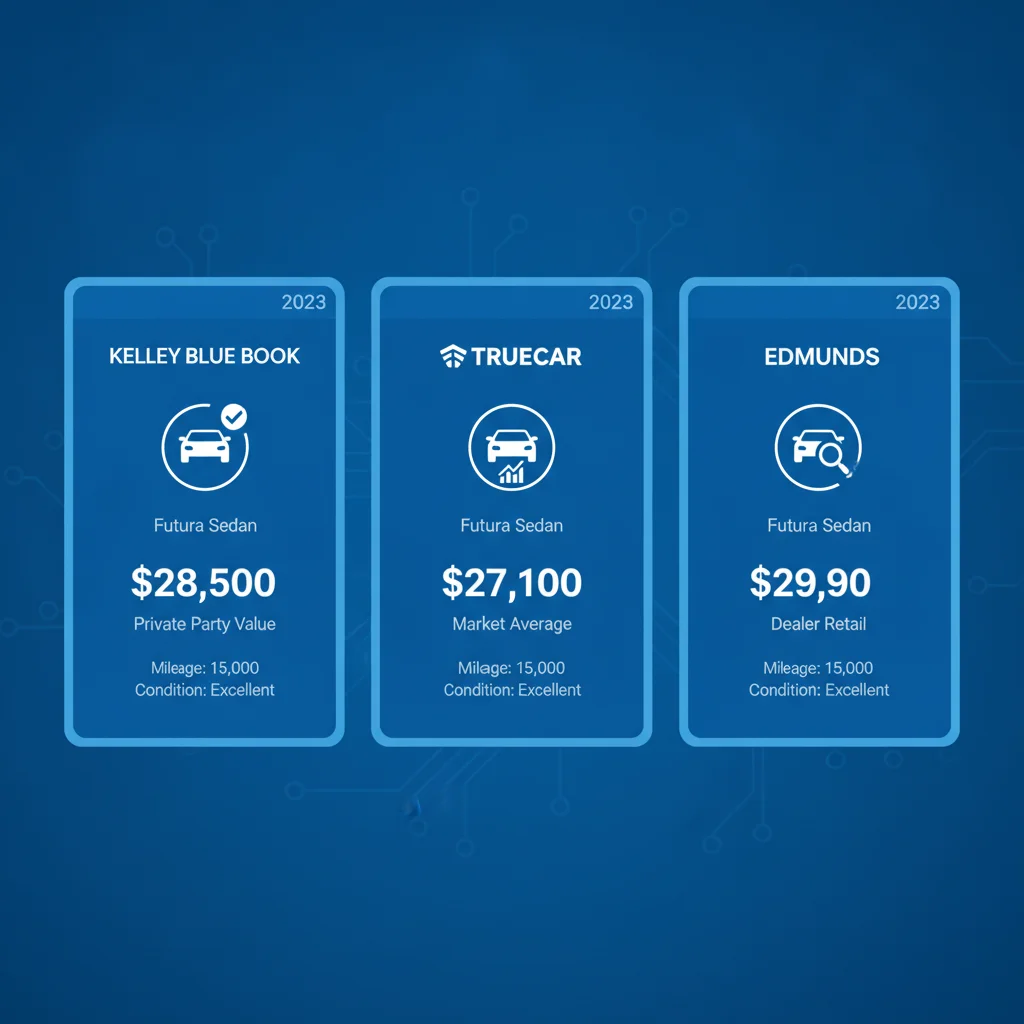
A major source of confusion for sellers is that plugging a car into multiple tools produces meaningfully different numbers. That's not a bug — each tool is answering a fundamentally different question. See why your car's valuation differs across every tool you check for a deeper breakdown of methodology gaps.
Here's how the tools differ at the conceptual level:
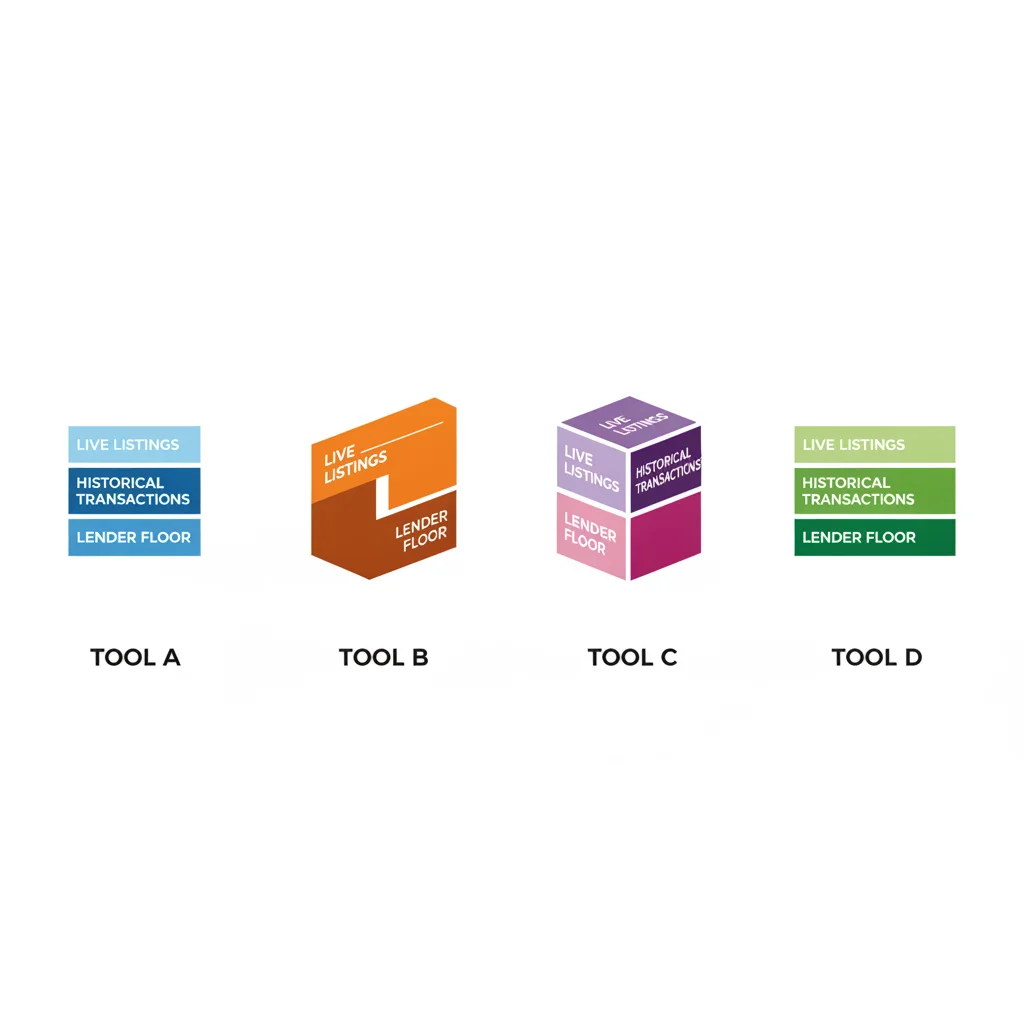
- KBB (Kelley Blue Book): Uses historical wholesale and retail transaction data, adjusted for condition ratings and regional factors. It answers: What has this type of car sold for? See the full comparison in KBB, Edmunds, and NADA: What Each Valuation Tool Is Actually Measuring.
- Edmunds True Market Value (TMV): Also transaction-based, but weighted more heavily toward recent 90-day sales data. It answers: What are people actually paying right now?
- NADA Guides: Historically lender-facing and conservative, skewing toward wholesale values. It answers: What would a lender or dealer use as a floor?
- CarGurus Price Analysis: Live listing-based, market-position scoring. It answers: How does this listing's asking price compare to what sellers are asking today?
The practical implication: if you want to know what your car is worth, lean on KBB or Edmunds transaction data. If you want to know how to price it to compete in today's market, CarGurus is your most current reference.
5–15%
Typical price gap for a 'Great Deal' rating
CarGurus' own documentation suggests listings rated Great Deal typically sit 5–15% or more below the median asking price for comparable vehicles in the local market.
50–100 mi
Default geographic radius for comparisons
CarGurus builds its comparison set from listings within approximately 50–100 miles of the listing ZIP code, expanding the radius if local inventory is too thin to produce a meaningful sample.
14 days
Threshold after which stale listings are discounted
Listings that have been active for two weeks or more begin to carry a negative signal in the CarGurus algorithm, as days-on-market is treated as a proxy for overpricing.
3–5%
Price reduction typically needed to shift rating category
Based on how the price distribution bands are structured, a 3–5% price reduction is usually sufficient to move a listing from High Price to Fair Price, or from Fair Price to Good Deal.
How Sellers Should Use the CarGurus Rating Strategically
Knowing how the rating works lets you use it as an active pricing tool rather than a passive scorecard. Here's a concrete approach:
Step 1: Run your comp set manually
Search CarGurus for your exact vehicle — year, make, model, trim — within 75–100 miles. Sort by lowest price. Look at the top 8–10 listings and note: How many are dealer versus private party? How do their mileages compare to yours? Are any of them clearly higher or lower condition based on photos and descriptions? This gives you the same raw data the algorithm is using.
Step 2: Identify where your target price lands in that distribution
If your asking price would place you in the bottom third of the distribution, you'll likely earn a Good or Great Deal badge. Middle third is Fair Price territory. Top third means High or Overpriced. You're in control of which zone you occupy.
Step 3: Decide what your goal is
Maximum inquiry volume? Price toward the Great Deal end. Maximum net proceeds? Price in the Fair Price zone and negotiate firmly. Fastest possible sale? Price for Good Deal or better. There's no universally correct answer — but you should make the choice deliberately rather than by accident.
Screenshot Your Rating Before Listing
Before you post your listing, capture a screenshot of the CarGurus price comparison for a listing priced at your intended ask. If you earn a Good Deal or Fair Price badge, that screenshot becomes a negotiation asset. Share it in your listing description or have it ready when a buyer questions your price — it's a neutral, third-party data point that's hard to argue with.
Step 4: Use the rating as a negotiation tool with buyers
If your listing earns a Fair Price or better badge, screenshot it and reference it in your listing description or conversations. Buyers who lead with "I saw some cheaper ones" can be shown real-time market data that validates your price. This is especially effective for private party sales where buyers expect more room to negotiate than they'd get from a dealer.
For the broader context of how sellers misuse these tools, see why sellers overprice their cars and what valuation tools have to do with it.
The Market Timing Dimension
One often-overlooked feature of CarGurus' real-time methodology is that it naturally reflects market timing. When used-car inventory is tight — as it was during the 2021–2022 chip shortage — comparable listings thin out and prices rise across the board. Your listing's "Fair Price" during a supply crunch might represent a premium you couldn't command 18 months later when inventory recovered.
This means CarGurus ratings are implicitly a timing signal. If you're seeing a lot of "Great Deal" badges in your comp set, inventory may be elevated and buyers have options — you'll need to price more aggressively. If most listings in your segment are tagged "High Price" or "Overpriced," the market may be undervalued relative to what buyers are willing to pay, which could mean sellers are anchoring to stale reference points.
Understanding market timing — when seasonal and economic trends favor higher sale prices — is a useful complement to the CarGurus snapshot. Convertibles price better in spring. Trucks spike in February and March. Four-wheel-drive vehicles command premiums heading into winter. The algorithm captures these trends as they happen, but won't predict them in advance.
“The market is the best appraiser. What you think your car is worth matters far less than what comparable sellers are asking and what buyers are actually paying.”
— Brian Reed, Automotive market analyst and used-car pricing consultant
For buyers using CarGurus to evaluate deals, the same logic applies in reverse — a Great Deal badge during a hot market may still represent a higher absolute price than the same car would fetch in a cooler period. See the full framework for buying used cars to understand how to evaluate listings beyond just the price badge.
Putting It All Together: A Practical Framework
CarGurus Price Analysis is genuinely useful — but only if you understand what it's measuring. Here's the framework I'd use if I were pricing a car to sell today:
- Get your baseline value from KBB Private Party and Edmunds Private Party value, using an honest condition assessment. These numbers tell you what the car is worth, not just what it's competing against.
- Check your CarGurus comp set — run the manual search described above and note where comparable listings cluster in terms of price and condition.
- Set your initial asking price to land in the Good Deal or Fair Price zone on CarGurus, while staying within 5–10% of your KBB/Edmunds estimate. If those two benchmarks conflict significantly, investigate why — it usually means your local market is running hot or cold relative to national norms.
- Monitor the rating weekly. If your listing ages past 14 days without serious inquiries, the market is telling you something. A price drop of 3–5% is usually enough to shift a rating category and generate fresh attention.
- Document the rating when negotiating. A screenshot of a Good Deal badge is a credible, third-party reference point that's hard for buyers to dismiss.
The tools that tell you what a car is worth and the tools that tell you how it's positioned in the market are answering different questions. CarGurus is the best real-time market positioning tool available — but it works best when you pair it with transaction-based valuation data from KBB or Edmunds. See the major car valuation tools compared side by side for a full breakdown of how every major tool stacks up.


All claims are backed by peer-reviewed research. Sources on request.