
Key Takeaways
Start here
Why Public Charging Feels Intimidating at First
Build the basics
Connector Types: Knowing Your Plug Before You Arrive
Go deeper
Setting Up Accounts and Payment Before Your First Session
Practice it
Step-by-Step: What Happens at the Charger
Plan ahead
Finding Stations and Planning Around Range
Optimize
Costs, Pricing Models, and Memberships
Why Public Charging Feels Intimidating at First
Walk up to a public EV charger for the first time and you may face a wall of unfamiliar choices: multiple cable types hanging from the unit, a touchscreen that's asking for an account you don't have, and a pricing display that lists rates per minute, per kWh, and per session simultaneously. It's a lot — and it's why many new EV owners stick almost exclusively to home charging well into their first year of ownership.
The good news is that the confusion is mostly front-loaded. Once you've decoded connector types, created a couple of network accounts, and completed one or two sessions, the process becomes nearly as automatic as pulling up to a gas pump. The infrastructure is also improving rapidly: the US had roughly 64,000 public charging stations as of early 2025, with federal funding continuing to accelerate that growth along major highway corridors.
This guide walks you through every step of your first public charging experience — from setting up payment before you even leave home to handling the problems that occasionally crop up in the field. If you want a broader view of the networks themselves, our complete overview of public EV charging networks in the US is a useful companion read.
Connector Types: Knowing Your Plug Before You Arrive
The single most important piece of information you need before using a public charger is which connector your car accepts. Arriving at a station with the wrong cable type is the most common rookie mistake — and it's entirely avoidable.
State of Charge (SoC)
The percentage of battery capacity currently available in your EV — essentially the electric equivalent of a fuel gauge reading.
kW (kilowatt)
A measure of charging power — how fast energy is flowing into your battery. Higher kW means faster charging.
kWh (kilowatt-hour)
A measure of energy — how much electricity your battery holds or how much a charging session delivered. It's the unit you're billed for on per-kWh plans.
DCFC (DC Fast Charging)
A high-power charging method that delivers direct current straight to the battery, enabling much faster charging than Level 2 AC stations.
NACS
The North American Charging Standard — a connector type originally developed by Tesla and now being adopted industry-wide for both Level 2 and DC fast charging.
CCS1
Combined Charging System — the most common DC fast-charging connector standard for non-Tesla EVs sold in North America through 2023.
Idling fee
A per-minute charge applied by some networks after your vehicle is fully charged but remains plugged in, intended to free up the station for other drivers.
Plug-and-Charge
A feature that lets your EV authenticate and start a billing session automatically when connected to a compatible charger, without any app or card interaction.
The Main Connector Standards
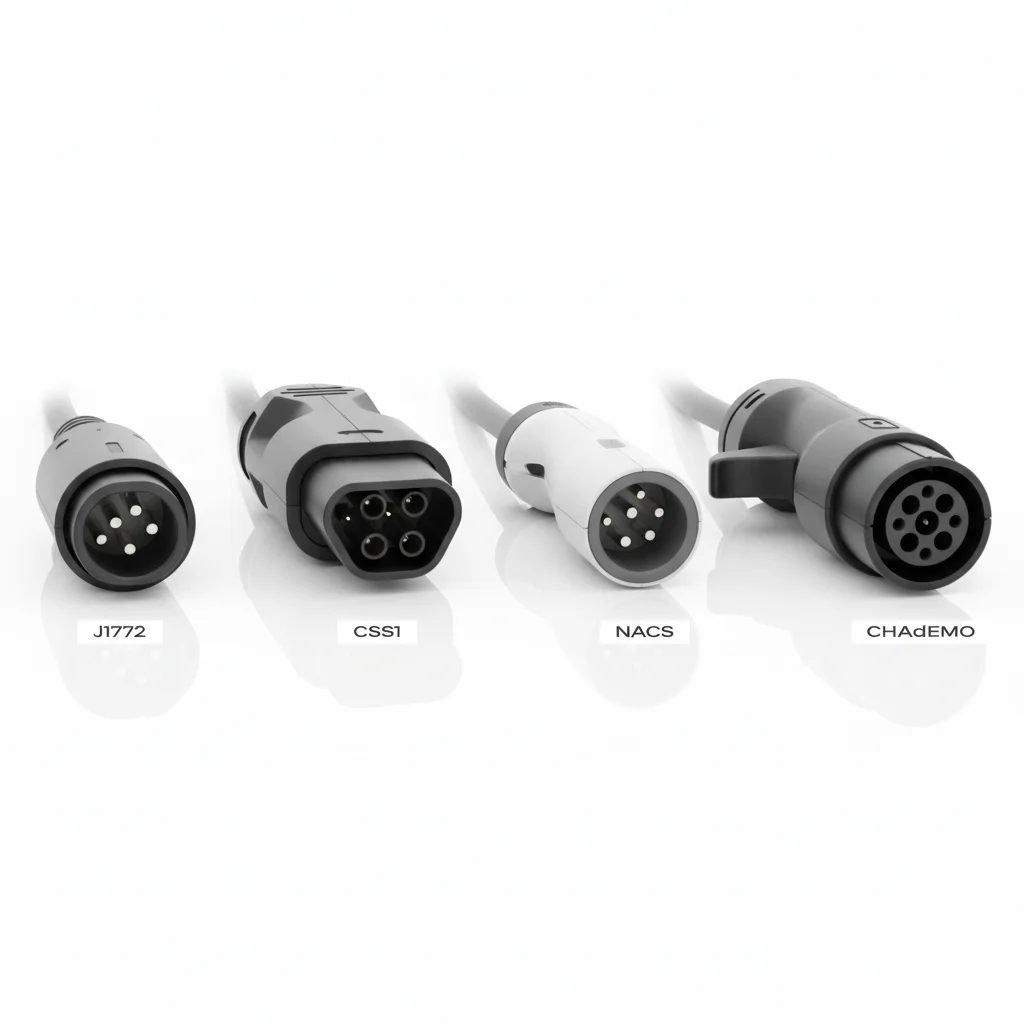
- J1772 (Type 1): The universal Level 1 and Level 2 AC connector. Every non-Tesla EV sold in North America accepts J1772 for Level 2 charging. If you own an EV with a NACS port, an adapter handles the translation.
- CCS1 (Combined Charging System): The dominant DC fast-charging standard for most non-Tesla EVs sold through 2023. It looks like a J1772 with two large DC pins added below. Check your charge port — if you see space for those extra pins, you have CCS.
- NACS (North American Charging Standard): Originally Tesla's proprietary connector, NACS was opened as an industry standard in 2023 and is now being adopted by Ford, GM, Rivian, Honda, Nissan, and others. As of 2025, most new non-Tesla EVs either ship with NACS or include a CCS-to-NACS adapter.
- CHAdeMO: A Japanese DC fast-charging standard. In North America it's largely limited to older Nissan LEAFs and Mitsubishi Outlander PHEVs. CHAdeMO infrastructure is shrinking in the US.
The fastest check: open your charge port door and look at the shape of the receptacle. Your owner's manual will also specify the connector type. Once you know yours, you'll immediately recognize compatible stations.
Don't Assume Your Connector Will Fit
Connector compatibility is not universal. A CCS1 cable will not fit a CHAdeMO port, and a NACS cable won't seat in a CCS port without an adapter. Always confirm your car's connector standard and verify the station offers a compatible cable in the app before routing to that location.
Watch for Idling Fees After a Full Charge
At many DC fast-charging stations, idling fees begin as soon as your car reaches its target state of charge and the session ends — even if you're still physically at the station. Fees of $0.40–$1.00 per minute add up quickly. Set an in-app notification so you're alerted when charging completes.
Not all charging networks support all connector types at every location, so confirming compatibility in the app before routing to a station is worth the extra thirty seconds. Connector assumption errors top the list of first-timer mistakes — don't let that be you.
Charging Levels Explained: Level 1, Level 2, and DC Fast Charging
Public charging infrastructure spans three distinct power tiers. Each serves a different use case, and understanding which to seek out — based on how long you'll be stopped — is key to efficient charging on the road.
Level 1 (120V AC)
Level 1 uses a standard household outlet and adds roughly 3–5 miles of range per hour. You'll rarely encounter dedicated Level 1 public stations; they occasionally appear at workplaces or older parking garages. For most public charging needs, Level 1 is too slow to be practical.
Level 2 (240V AC)
Level 2 is the backbone of destination charging — shopping centers, hotels, airports, parking decks, and workplaces. Typical output ranges from 7.2 kW to 19.2 kW, adding 10–30 miles per hour depending on your car's onboard AC charging limit. If your battery is nearly empty, Level 2 takes several hours to reach a full charge, which makes it ideal when you'll be parked for two or more hours anyway.
DC Fast Charging (DCFC)
DC fast chargers bypass your car's onboard AC charger and push DC power directly into the battery pack. Speeds range from 50 kW at older stations up to 350 kW at newer high-power sites. At a 150 kW charger, a typical 75 kWh battery can go from 10% to 80% in roughly 30–45 minutes. Note that most manufacturers recommend stopping at 80% during road trips because charging slows significantly above that threshold to protect battery health.
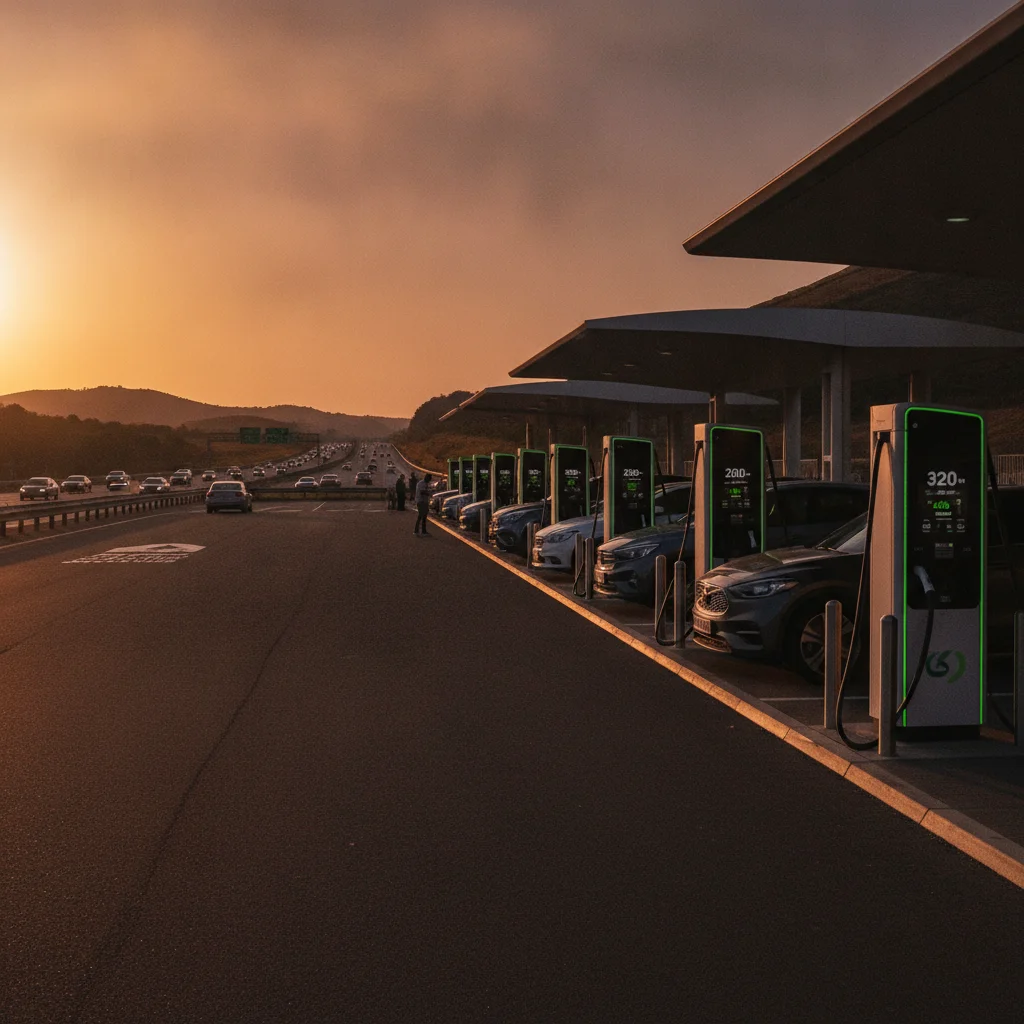
The 80% guideline matters for trip planning. If you're targeting a 200-mile segment on the highway, plan your fast-charging stop so you arrive with 15–20% remaining and charge to around 80% — that keeps your average speed high and battery stress low.
80% Is the Road-Trip Sweet Spot
Battery chemistry means DC fast-charging slows significantly above 80% state of charge to prevent cell degradation. Most EV navigation systems account for this automatically when routing charging stops. On long drives, treating 80% as your effective 'full' keeps sessions short and your pace consistent.
Per-kWh vs. Per-Minute Billing Varies by State
Several US states still legally require EV charging to be billed by time rather than by energy delivered — a legacy of fuel-pump regulations. If you're charged per minute and your car has a slower onboard charger, you may pay more for the same energy than a car with a faster charger at the same station. This is a network constraint, not a malfunction.
Setting Up Accounts and Payment Before Your First Session
The single best preparation you can do before your first long drive is to create accounts with the major charging networks and add a payment method to each. Doing this at home — not in a parking lot with a dwindling battery — removes the most stressful part of the experience.
Which Networks to Prioritize
The US charging landscape is dominated by a handful of networks. The major players and their coverage maps are detailed in our network overview, but broadly: ChargePoint has the largest number of Level 2 locations; Electrify America and EVgo cover most major highway DC fast-charging corridors; Tesla's Supercharger network — now accessible to non-Tesla vehicles at most locations — is among the fastest and most reliable; and NEVI-funded state networks are filling rural gaps along the Interstate Highway System.
Payment Options You'll Encounter
- Network app with stored card: The most seamless option. Download the app, link a credit card, and start sessions with a tap.
- RFID card: Some networks mail a physical card you tap on the reader. Useful as a backup when your phone battery is low.
- Contactless credit card: Federally funded NEVI stations are required to accept credit card tap payments without an account. Many other modern stations have added this capability. Always check the station's display for the tap-to-pay symbol.
- Plug-and-charge (ISO 15118): An emerging capability where the car authenticates automatically when plugged in, triggering billing without any app interaction. Available on select vehicles and networks.
Pre-Load Network Apps Before Any Road Trip
Download ChargePoint, Electrify America, EVgo, and your vehicle's companion app before you need them. Add a payment method to each at home over Wi-Fi. On the road, you'll simply tap to start — no sign-up friction, no weak cellular signal slowing you down.
Charge to 80% and Move On
On road trips, targeting 80% rather than 100% cuts your fast-charging time by a third or more, because charging rate tapers above 80% to protect battery health. You'll make better time stopping twice to 80% than once to 100%.
Account creation on ChargePoint, Electrify America, and EVgo is free and takes under five minutes each. You can add a payment method during signup and won't be charged until you initiate a session. Getting these set up before you need them costs nothing and saves significant frustration.
Step-by-Step: What Happens at the Charger
Here's what a typical public charging session looks like from the moment you pull in to the moment you drive away.
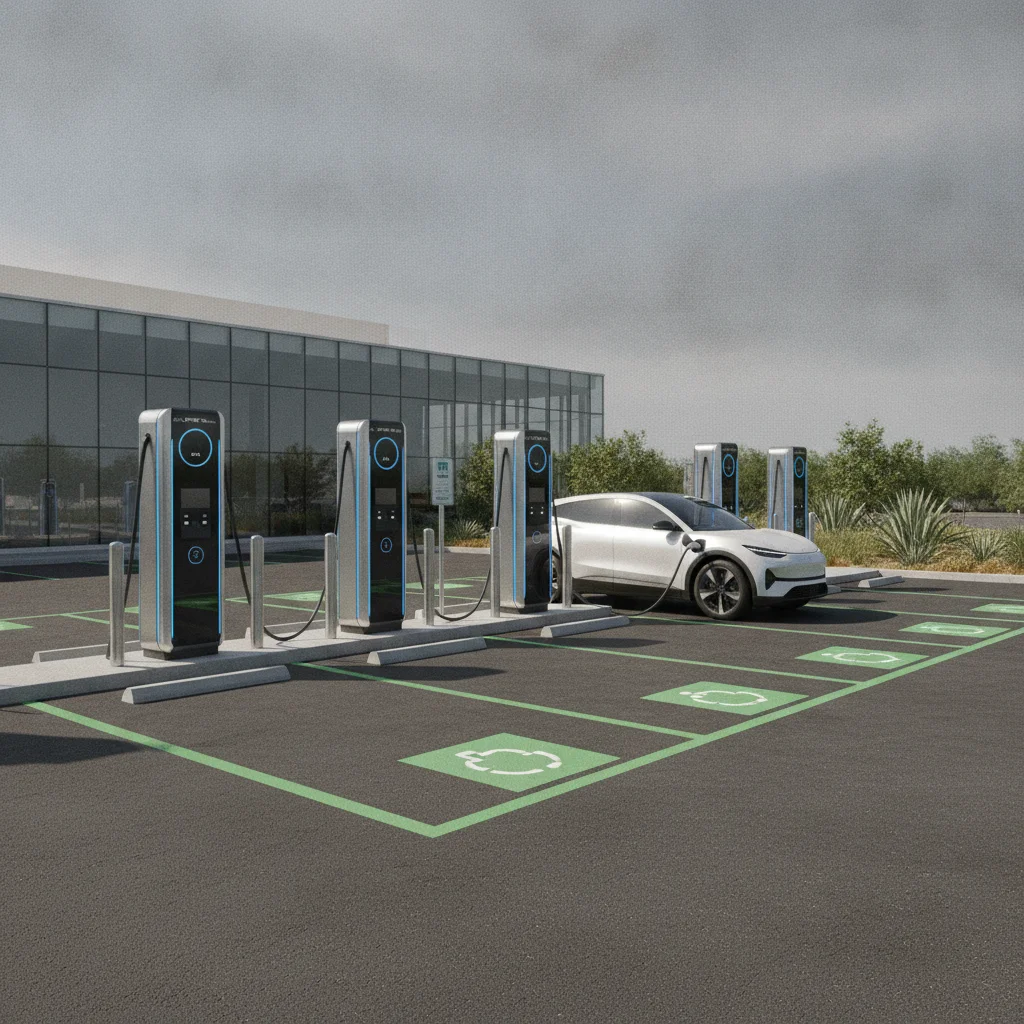
- Select your stall. Pull up to an open charger and check the display or network app for its status. Green usually means available; red or orange means occupied or faulted. At multi-stall DC fast-charging sites, stalls sometimes share power — if the lot is busy, picking a stall with no neighboring car can yield faster speeds.
- Match the cable to your port. Unholster the correct cable from the unit. The connector should seat firmly with a click. Never force it — if it doesn't click, the connector may be misaligned.
- Start the session. Depending on the network, tap your RFID card, use the app, or tap your credit card on the reader. The unit should show a session-start confirmation within 15–30 seconds and your car's display will typically show charging is active.
- Monitor progress. Most network apps show real-time state of charge, estimated completion time, and cost accumulating. Your car's own display also shows charging rate in kW or miles-per-hour equivalent.
- End the session. Stop the session in the app, tap your card again, or press the stop button on the unit — the process varies by network. Once the session ends, the cable unlocks and you can remove it.
- Move promptly if at a busy site. At DC fast-charging stations, idling fees kick in once your car is full and the session ends. These can be $0.40–$1.00 per minute. Most apps send a notification when charging is nearly complete.
Pre-Load Network Apps Before Any Road Trip
Download ChargePoint, Electrify America, EVgo, and your vehicle's companion app before you need them. Add a payment method to each at home over Wi-Fi. On the road, you'll simply tap to start — no sign-up friction, no weak cellular signal slowing you down.
Charge to 80% and Move On
On road trips, targeting 80% rather than 100% cuts your fast-charging time by a third or more, because charging rate tapers above 80% to protect battery health. You'll make better time stopping twice to 80% than once to 100%.
First-timers sometimes forget to end the session in the app before unplugging. Always initiate a session stop through the app or the unit before removing the cable — attempting to pull an active cable may trigger a locking mechanism on your car's charge port.
Finding Stations and Planning Around Range
Spontaneous charging works in cities with dense infrastructure. On road trips, it requires advance planning — treating charging stops the way you'd treat fuel stops, with margin built in for unexpected station closures or queues.
Apps and Tools for Station Discovery
PlugShare aggregates real-time user check-ins, photos, and reviews across nearly every public network in North America, making it the most reliable way to vet a station's actual condition before you arrive. ABRP (A Better Route Planner) is purpose-built for trip routing, factoring in your specific vehicle's efficiency, current state of charge, elevation changes, and temperature to calculate optimal charging stops. Most newer EVs also have built-in navigation that integrates real-time charging availability and can automatically route you to the best stop.
Building a Trip Buffer
Range anxiety is largely a planning problem. Three rules of thumb that experienced EV road-trippers use consistently:
- Never plan to arrive at a charger below 10% state of charge — buffer for unexpected detours or slower-than-expected efficiency.
- Identify a backup station within reach of your primary stop, especially in rural stretches.
- In cold weather (below 32°F), reduce expected range by 20–30% — lithium batteries deliver less energy in the cold, and cabin heating draws from the same pack.
For new EV owners still calibrating their comfort with range, understanding your home charging baseline helps you leave each day with a predictable starting point, which makes public charging supplemental rather than essential for most daily use.
PlugShare
The most widely used EV charging station finder in North America. Real-time check-ins and user reviews help you verify a station's working condition before you route to it.
A Better Route Planner (ABRP)
A trip-planning app built specifically for EVs. Input your vehicle, current charge level, and destination, and ABRP calculates optimal charging stops accounting for elevation, temperature, and your car's real-world efficiency.
US DOE Alternative Fuels Station Locator
The federal government's database of public charging locations, updated regularly with station type, network, and connector information. Useful for rural route planning where major network apps have gaps.
Charging Costs & Savings Hub
Our in-depth resource on estimating and reducing your total EV charging spend — covering public network pricing, home charging rates, and membership strategy.
Costs, Pricing Models, and Memberships
Public charging pricing is fragmented and often confusing — partly because different states regulate EV pricing differently, and partly because networks use varied billing models to manage infrastructure costs.
How You'll Be Billed
| Pricing Model | How It Works | Best For |
|---|---|---|
| Per kWh | You pay for the energy delivered, like a utility bill. Most transparent model. | DC fast charging in states that permit it |
| Per minute | Charged by time connected, regardless of charging speed. Can penalize slower cars. | States that regulate kWh billing |
| Per session | Flat fee regardless of energy or time. Rare; usually for Level 2 destination chargers. | Short top-up stops |
| Hybrid | Combines a per-minute rate with a per-kWh rate. Common at Electrify America. | High-utilization networks |
As a rough benchmark, DC fast charging typically costs $0.25–$0.65 per kWh, which translates to roughly $12–$30 for a 20–30 minute session adding 50–80 miles. That's more expensive per mile than home charging — usually 2–3 times more — but comparable to or cheaper than gasoline for many vehicles.
Membership Programs Worth Considering
Most major networks offer free membership tiers that reduce per-session costs. Electrify America's Pass+ plan costs $4/month and cuts charging rates meaningfully for frequent users. ChargePoint operates on a stored-value or pay-as-you-go model with no monthly fee. Tesla's Supercharger network offers discounted rates for registered Tesla owners and charges non-Tesla vehicles at slightly higher rates.
For a comprehensive comparison of public charging costs versus home charging costs, see our Charging Costs & Savings hub, which also covers time-of-use rate strategies for home charging.
80% Is the Road-Trip Sweet Spot
Battery chemistry means DC fast-charging slows significantly above 80% state of charge to prevent cell degradation. Most EV navigation systems account for this automatically when routing charging stops. On long drives, treating 80% as your effective 'full' keeps sessions short and your pace consistent.
Per-kWh vs. Per-Minute Billing Varies by State
Several US states still legally require EV charging to be billed by time rather than by energy delivered — a legacy of fuel-pump regulations. If you're charged per minute and your car has a slower onboard charger, you may pay more for the same energy than a car with a faster charger at the same station. This is a network constraint, not a malfunction.
Common Problems and How to Handle Them
Public charging reliability has improved significantly, but you will eventually encounter a station that won't cooperate. Knowing the most common failure modes — and their fixes — keeps a minor inconvenience from becoming a trip-ending problem.
Charger Won't Start the Session
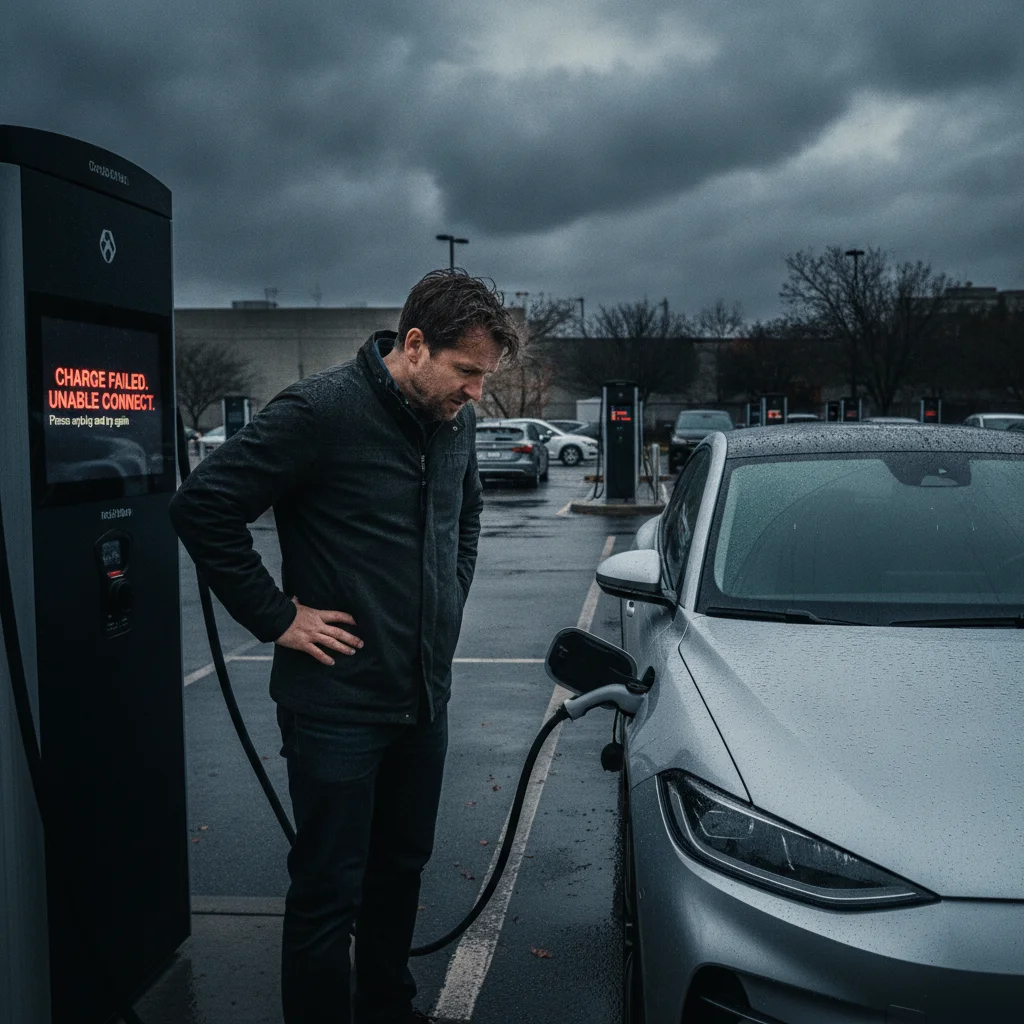
The most frequent issue. Try these steps in order: (1) Unplug and re-seat the connector firmly. (2) Close and reopen the session in the app. (3) Tap your payment method again. (4) Try a different stall at the same location. If none of these work, call the support number printed on the unit — most networks have 24/7 phone support and can remotely reset the station or credit your account if you drove away without charging.
Charging Speed Is Much Lower Than Expected
Several factors reduce charging speed: high battery temperature after a long drive (the car's thermal management system throttles input); very cold ambient temperature; sharing a DC fast charger with another vehicle at the same pedestal; and a nearly full battery (above 80%, charging slows by design). If the station itself is faulted, the app will usually show a speed cap warning.
Stall Is Occupied or Station Is Full
In high-traffic areas — particularly around holidays — fast-charging stations can have queues. Apps like PlugShare show real-time occupancy at many locations. Planning your stop for off-peak hours (early morning or late evening on road trips) typically means walking straight to an open stall.
A deeper look at the mistakes new EV drivers make at public chargers covers additional scenarios — from forgetting to disable valet lock to miscalculating the range to the next station.
Home charging remains the most cost-effective and convenient option for daily use. If you haven't yet set up a home charger, our complete home EV charging setup guide covers everything from outlet requirements to installation costs. Public charging is most powerful when it extends the range of a good home charging routine — not when it replaces one.
Don't Assume Your Connector Will Fit
Connector compatibility is not universal. A CCS1 cable will not fit a CHAdeMO port, and a NACS cable won't seat in a CCS port without an adapter. Always confirm your car's connector standard and verify the station offers a compatible cable in the app before routing to that location.
Watch for Idling Fees After a Full Charge
At many DC fast-charging stations, idling fees begin as soon as your car reaches its target state of charge and the session ends — even if you're still physically at the station. Fees of $0.40–$1.00 per minute add up quickly. Set an in-app notification so you're alerted when charging completes.
All claims are backed by peer-reviewed research. Sources on request.