
Key Takeaways
What an Amortization Schedule Actually Is
An amortization schedule is a complete, row-by-row breakdown of every payment you will make on your auto loan. Each row represents one monthly payment and shows four things: the payment number, the portion going toward interest, the portion going toward principal, and the outstanding loan balance after that payment is applied.
That last column — the remaining balance — is arguably the most important number on the entire table. It tells you exactly how much you still owe the lender at any given moment, which matters enormously when you're thinking about selling, trading in, or refinancing your vehicle.
If you're not yet clear on how amortization works at a conceptual level, this primer on where payments actually go is a good starting point before you dive into reading the schedule itself. And if you run into unfamiliar terms anywhere in this article, the Auto Loan Glossary covers 25 key borrower terms in plain language.
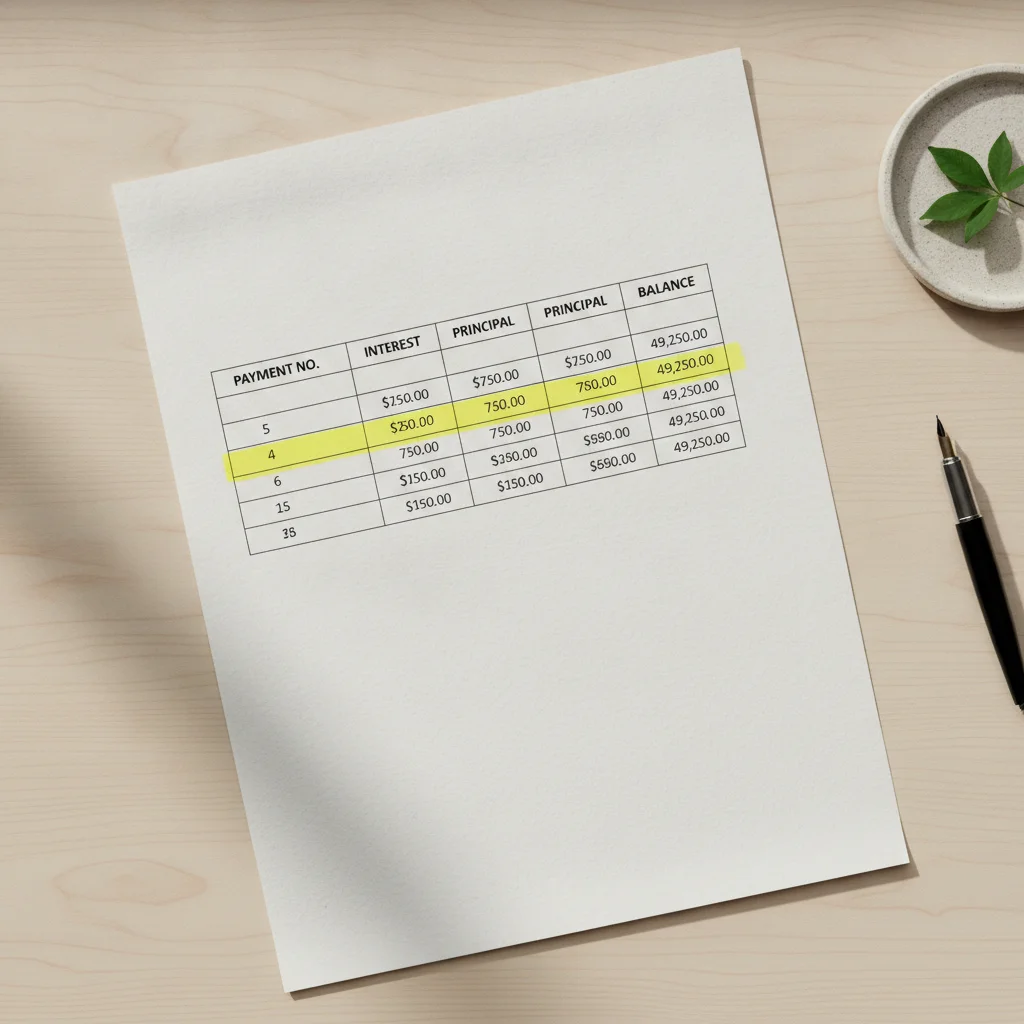
The math behind each row uses a fixed formula: your lender multiplies your outstanding balance by your monthly periodic interest rate to calculate the interest portion. Whatever remains from your fixed monthly payment then reduces your principal. Because the balance shrinks a little each month, the interest charge also shrinks — which means a slightly larger slice of your payment attacks principal each month. This self-reinforcing dynamic is exactly what amortization describes.
What You Need Before You Start
To read your schedule accurately, you first need to locate or generate it. Many lenders provide a full amortization table in your loan documents or through an online account portal. If yours doesn't, you can generate one using your loan amount, APR, and term length.
What you will need
Once you have your schedule open, set up a simple way to track your place — a ruler across a printed table or a frozen header row in a spreadsheet both work well. Amortization tables for 60- or 72-month loans can run to dozens of rows, and it's easy to lose your spot.
Auto loan amortization schedule
The primary document you will read and annotate throughout this process.
Calculator (standard or spreadsheet)
Used to verify interest calculations, sum remaining interest, and model extra payments.
Online auto loan calculator with extra payment field
Allows you to regenerate a revised schedule after extra payments without manual row-by-row math.
Vehicle valuation tool (e.g., market pricing resource)
Used to compare your remaining loan balance against your car's current market value to assess equity.
Reading Your Schedule Step by Step
Follow these steps in order the first time you sit down with your amortization table. After you've done this once, future check-ins will only take a few minutes.
Locate the four key columns
Open your amortization schedule and identify these four columns before reading any numbers: Payment Number, Interest Paid, Principal Paid, and Remaining Balance. Some tables also include a fifth column showing the total payment amount, which should match your fixed monthly payment throughout (with minor variation on the final payment due to rounding).
If your schedule uses different column labels, look for synonyms: "interest charge" or "finance charge" for the interest column; "principal reduction" or "balance reduction" for the principal column; and "outstanding balance" or "balance due" for the remaining balance.
Read payment row one carefully
Find row one — your first monthly payment. Notice that the interest column likely contains a surprisingly large number relative to the principal column. This is not an error. On a $28,000 loan at 6.9% APR, for example, your very first payment of roughly $547 would direct about $161 to interest and only $386 to principal.
This front-loading is a defining feature of simple-interest amortization. The lender collects the most interest when your balance is at its highest — which is at the very beginning of the loan.
Find the crossover point
Scan down the Interest Paid and Principal Paid columns until you find the row where the principal amount first exceeds the interest amount. This is your crossover point — the payment at which more of your money starts reducing debt than paying the lender's carrying cost.
On shorter-term loans at moderate rates, the crossover arrives earlier. On longer-term or higher-rate loans, it can take several years. Knowing your crossover payment number gives you a concrete milestone to watch for.
Check your current remaining balance
Find the row that corresponds to your most recent payment made. The Remaining Balance column for that row is what you currently owe your lender. Verify this number against your most recent account statement — if they don't match, contact your lender, as the discrepancy may indicate a missed payment, a fee, or a data entry error in your records.
This balance is the number that matters if you're considering selling the car, trading it in, or refinancing. Compare it to an independent market value estimate for your vehicle to determine whether you have positive equity (car is worth more than you owe) or negative equity (you owe more than it's worth).
Calculate your total remaining interest
Add up all the Interest Paid values in every row you have not yet paid. This sum is your remaining interest obligation — the amount you will pay the lender in finance charges if you make every payment on schedule from today forward with no extra contributions.
In a spreadsheet, a simple SUM formula on the remaining interest cells gives you this instantly. On a printed table, use a calculator. This number is the baseline you'll compare against if you're evaluating whether to make extra payments, refinance, or pay off the loan entirely.
Project the impact of one extra payment
Choose a specific extra principal amount — say, $200 — and find the row for next month. Subtract $200 from that row's Remaining Balance. Now look at the following row and recalculate the interest charge using the formula: new balance × (APR ÷ 12). You'll see a slightly smaller interest charge and a slightly larger principal reduction in that next row.
While recalculating every row manually is tedious, this single-row exercise makes the mechanics tangible. For a full recalculation, use an online loan calculator with an extra payment field — enter your current remaining balance as the new loan amount, your same APR and remaining term, then add the extra payment amount to see the revised payoff date and total interest saved.
How Loan Term Length Reshapes the Schedule
One of the most eye-opening things you can do with an amortization schedule is generate the same loan at different term lengths and compare them side by side. The monthly payment difference may look modest, but the total interest columns tell a very different story.
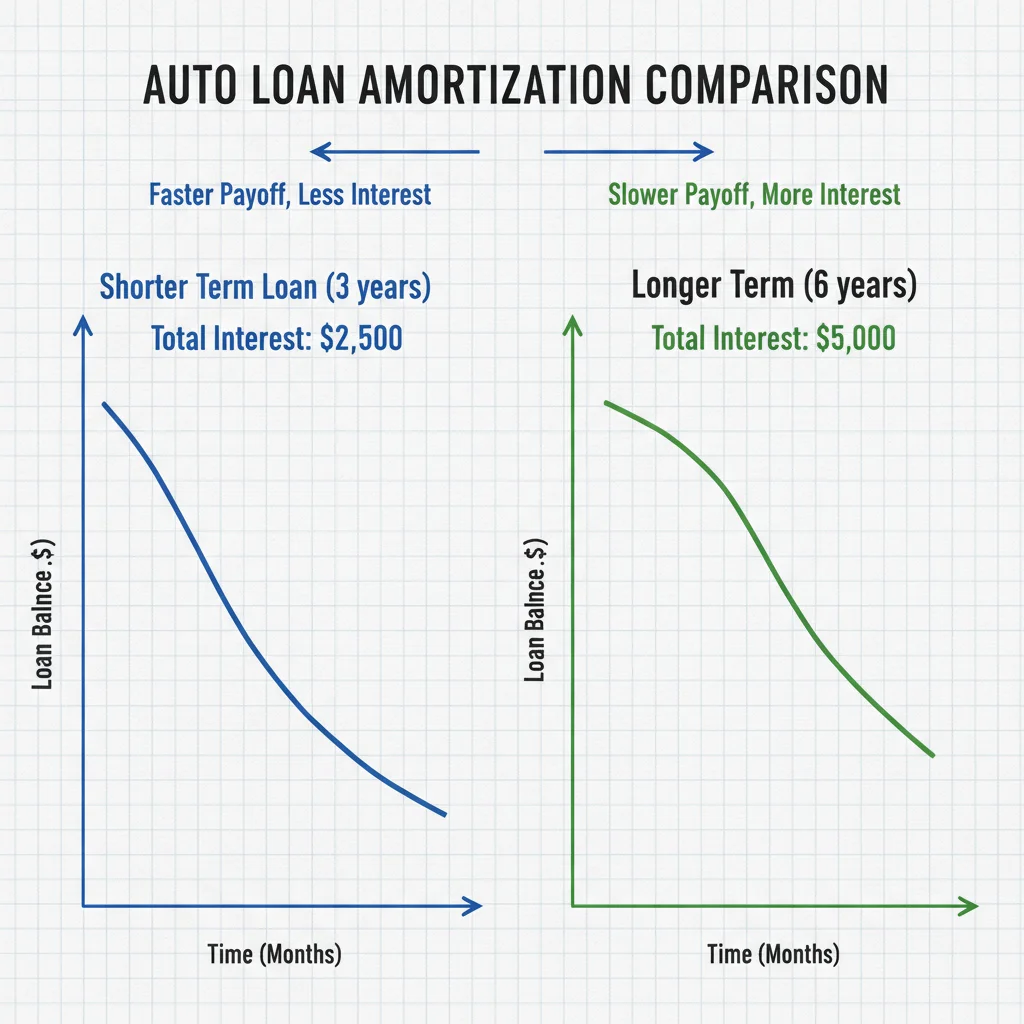
Consider a $30,000 loan at 7% APR. At 48 months, your monthly payment is roughly $718 and total interest paid is around $4,450. Stretch that to 72 months and your payment drops to about $512 — but total interest climbs to nearly $6,880. Add another year at 84 months and you're paying over $8,100 in total interest for the same vehicle.
The monthly savings feel real because they are real — $206 per month is meaningful cash flow. But the amortization schedule makes the trade-off visible in a way that a payment quote alone never could. This reference table of total interest paid across common loan terms and APRs lets you look up your exact scenario without doing the math by hand.
Monthly Payment Focus Can Be Misleading
Dealers and lenders often present loan offers in terms of monthly payment alone — and that figure can feel very manageable. Your amortization schedule reveals the full picture: a lower monthly payment achieved by extending your term can cost you thousands more in total interest. Always look at the total interest column, not just the payment row, before accepting a loan offer.
Longer terms also create a longer window during which you're at risk of being underwater — owing more on the loan than the vehicle is worth. Because cars depreciate fastest in the first two to three years, a 72- or 84-month loan can leave your balance ahead of the car's market value for a substantial portion of the loan. Your amortization schedule's balance column will show you exactly when your remaining balance is projected to cross below a realistic resale value for your vehicle.
Down payment size is the most direct lever for improving this math from the start. A larger down payment reduces the principal in every row, compresses the interest column throughout, and gets you to positive equity faster. See the Down Payments hub for guidance on sizing your down payment strategically.
Using Extra Payments to Rewrite the Schedule
Here is where reading your amortization schedule pays off most directly: understanding how extra principal payments alter your remaining balance — and therefore every future row in the table.
When you make an extra payment explicitly designated toward principal, your lender recalculates the remaining balance immediately. Every subsequent interest charge is now computed against a lower number, which means a slightly larger portion of each future regular payment also goes toward principal. The compounding effect is significant.
Designate Extra Payments Explicitly
When submitting any payment beyond your regular monthly amount, always specify that the extra funds should be applied to principal — not to your next scheduled payment. Most lenders accept this instruction through their online portal, by phone, or in a written note accompanying a check. Failing to specify can mean the extra money just sits as a credit toward next month's bill, doing nothing to reduce interest.
Generate a Fresh Schedule After Refinancing
If you refinance your auto loan, your original amortization schedule is no longer valid. Request or generate a new one using your new loan amount (the payoff balance from the old loan), your new APR, and the new term length. The old schedule's remaining interest projections will overstate what you now owe in interest costs.
How Loan Amortization Explains Why Early Payments Matter Most walks through the math on this in detail, but the core insight is this: an extra $500 applied to principal in month three saves you more total interest than the same $500 applied in month forty-five. Early in the loan, when your balance is highest, every dollar of principal reduction eliminates the most downstream interest.
If you want to model this, regenerate your amortization schedule after any extra payment using your new remaining balance as the principal input. Some lenders' online portals do this automatically and let you see your updated payoff date in real time.

Also keep an eye on how your APR interacts with all of this. A higher rate amplifies the benefit of extra principal payments because each remaining dollar of balance carries a higher interest cost per month. On a low-rate loan, the math still works in your favor — just with smaller absolute savings.
Common Misreads and How to Avoid Them
Even a straightforward amortization schedule has a few spots where readers routinely trip up. Knowing them in advance will save you a frustrating recalculation.
Confusing APR with the periodic interest rate
Your schedule was built using a monthly periodic rate, which is your APR divided by 12. The table does not display the APR directly. If you're trying to verify a row's interest figure yourself, use the monthly rate — not the annual one. For a 7.2% APR loan, your monthly rate is 0.6% (0.072 ÷ 12).
Assuming the first payment date is payment one
Some schedules begin at payment zero (the origination date) or include a row for your loan's initial funding. Don't confuse that row with your first actual payment. Check that your row counts match your remaining payments on the account.
Treating the payoff balance as the sale price
Your remaining balance is what you owe the lender — not what a buyer or dealer will pay you for the car. Before a trade-in or private sale, compare your schedule's balance column against a current market valuation from a vehicle pricing source. The gap between those two numbers defines your equity position.
Negative Equity Is a Real Risk
If your remaining loan balance exceeds your vehicle's current market value, you are in a negative equity position — sometimes called being 'underwater' or 'upside down.' Trading in or selling the car in this situation means you would still owe money to the lender after the sale proceeds are applied. Your amortization schedule's balance column, compared against a current vehicle valuation, is your best tool for monitoring this risk.
Ignoring prepayment penalty clauses
A small number of auto loans carry prepayment penalties — fees charged when you pay off a loan early. Before making extra principal payments, check your loan agreement. Your amortization schedule assumes no such fees, so if they exist, your actual savings calculation will differ from what the table suggests.
Finally, if your lender uses a precomputed interest structure rather than simple interest, your amortization schedule works differently — interest for the full term is calculated upfront and baked into the payment total. In that structure, extra payments do not reduce the interest you owe in the same way. The Auto Loan Glossary entry on precomputed interest explains how to identify whether your loan uses this method.
For a deeper dive into loan calculator inputs and how to use them to generate and verify your own schedule, see How to Use an Auto Loan Calculator Without Misreading the Results.

All claims are backed by peer-reviewed research. Sources on request.