

Key Takeaways
Why Tracking Matters — And What to Watch
Most borrowers who commit to paying off their auto loan early focus all their energy on making extra payments. That's the right instinct — but without a system to measure progress, it's easy to lose momentum, miscalculate savings, or miss warning signs that your strategy isn't working as expected.
Effective tracking means monitoring three distinct numbers simultaneously:
- Current principal balance — the amount you still owe on the loan's core debt, stripped of future interest.
- Interest saved to date — the cumulative difference between what your original amortization schedule would have cost and what you've actually paid in interest.
- Projected payoff date — your revised estimate of when the loan will reach zero, based on your current payment pace.
These three numbers tell a complete story. Your principal balance confirms you're reducing debt — not just paying interest. Your interest saved figure quantifies the financial benefit of every extra dollar you've applied. And your projected payoff date gives you a concrete target to work toward.
If you're new to the mechanics of how auto loan interest accrues and how extra payments change the amortization curve, start with the early payoff terms glossary before continuing here. Understanding terms like principal, amortization, and prepayment penalty will make the tracking steps below much clearer.

One important caveat: not every auto loan rewards early payoff equally. If your loan uses a precomputed interest structure, or if your contract includes a prepayment penalty clause, the math changes significantly. Review your loan agreement carefully — or see signs your loan terms make early payoff less worthwhile for specific contract red flags to look for before you invest time in a detailed tracking system.
What You'll Need Before You Start
Before you can accurately track your progress, gather a few documents and tools. Having everything in one place saves you from hunting for numbers mid-calculation — and ensures you're working from accurate data rather than estimates.
What you will need
Amortization Schedule
Serves as your baseline — shows the original principal and interest breakdown for every scheduled payment so you can compare actual progress against the plan.
Spreadsheet (Google Sheets or Excel)
Used to log monthly payments, track principal balance over time, and calculate cumulative interest saved with a running formula.
Online Auto Loan Payoff Calculator
Quickly recalculates your projected payoff date and total interest cost when you enter your current balance, rate, and intended extra payment amount.
Lender Payoff Quote
An official, date-specific balance from your lender that accounts for accrued interest — required when you plan to pay off the loan in full.
Loan Contract / Promissory Note
Identifies whether your loan uses simple interest or precomputed interest, and discloses any prepayment penalty that would reduce your net savings.
Check for a Prepayment Penalty Before Paying Ahead
Some auto loan contracts — particularly those from buy-here-pay-here dealerships or subprime lenders — include prepayment penalty clauses that charge a fee if you pay off the loan early. This fee can range from one to three months of interest and may significantly reduce your net savings. Review your loan contract's payoff or prepayment section before making any extra payments.
Precomputed Interest Loans Work Differently
If your loan uses precomputed (or "rule of 78s") interest rather than simple interest, extra principal payments may not save you interest in the same way. The total interest on a precomputed loan is fixed at origination and front-loaded into the payment schedule. Check your contract or ask your lender which interest method applies to your loan before building a tracking system based on simple-interest assumptions.
Step-by-Step: Building and Using Your Tracking System
The following steps walk you through setting up a tracking system from scratch, then maintaining it month over month. Each step builds on the last — complete them in order the first time, then return to Step 4 onward on a monthly basis.
Locate Your Original Amortization Schedule
Your amortization schedule is the foundation of your tracking system. It shows, for every payment in your loan term, exactly how much goes to interest and how much reduces principal. Without it, you have no baseline to measure progress against.
If your lender didn't provide one at closing, you have two options. First, call or log in to your lender's portal and request a full amortization schedule — most lenders will generate one on request at no charge. Second, use a free online amortization calculator: enter your original loan amount, interest rate (APR), and loan term in months, and it will generate the same schedule.
Print this schedule or save it as a reference file. You will not be editing it — it represents the original plan, unchanged.
Confirm Your Current Principal Balance
Pull your most recent loan statement and locate the "principal balance" or "outstanding balance" line. This is the amount of original loan debt you still owe — it does not include future interest, which hasn't accrued yet.
Cross-reference this number with your online lender account if available. The two figures should match. If they don't, call your lender immediately — a discrepancy often indicates a payment was misapplied.
Record this balance as your starting point in your tracking spreadsheet, alongside the corresponding month number (e.g., if you're beginning this process at month 14 of a 60-month loan, note "Month 14: $16,840").
Build Your Tracking Spreadsheet
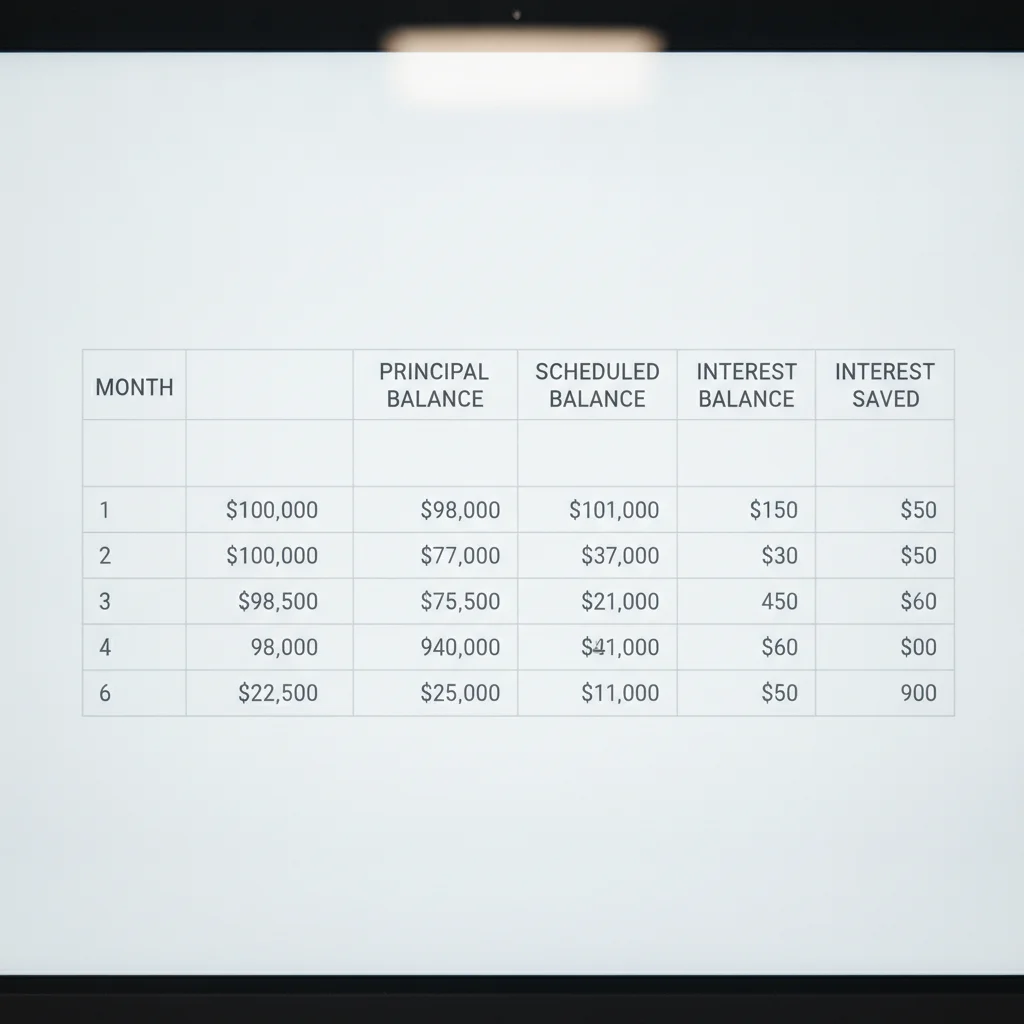
Open a new spreadsheet and create the following columns:
| Column | What to Record |
|---|---|
| Month # | Payment month number (1 through your loan term) |
| Payment Date | Actual date payment was made |
| Total Payment | Amount paid this month, including any extra |
| Interest Portion | Amount applied to interest (from statement) |
| Principal Portion | Amount applied to principal (from statement) |
| Extra Payment | Any amount paid above your required minimum |
| Actual Balance | Principal balance after this payment |
| Scheduled Balance | What your balance should be per original schedule |
| Balance Difference | Scheduled minus Actual (positive = ahead of schedule) |
| Cumulative Interest Saved | Running total of interest saved vs. original schedule |
Populate the "Scheduled Balance" column by copying figures from your amortization schedule. The "Balance Difference" and "Cumulative Interest Saved" columns can be driven by simple subtraction formulas — no advanced spreadsheet skills required.
Record Each Month's Payment and Update Your Balances
After every payment — whether your standard minimum or an extra payment — update your spreadsheet within 48 hours. Log the payment date, total amount, interest portion, and principal portion exactly as your lender records them. Do not estimate these figures; pull them from your statement or online account.
Update the "Actual Balance" field with the principal balance your lender now shows. Calculate the difference between this and the "Scheduled Balance" for the same month. A growing positive difference means you're ahead of schedule — each month it should increase if you're making consistent extra payments.
Calculate Your Interest Saved to Date
Your cumulative interest saved is the difference between the total interest your original schedule projected you would have paid through the current month, and the total interest you've actually paid.
From your amortization schedule, sum the interest column for every payment from month 1 through your current month. Call this Scheduled Interest Paid.
From your spreadsheet's "Interest Portion" column, sum every payment you've actually made. Call this Actual Interest Paid.
Subtract: Scheduled Interest Paid − Actual Interest Paid = Interest Saved to Date
This figure should grow each month you make an extra payment. Even a modest extra $50 per month compounding over 24 months can produce hundreds of dollars in interest savings on a typical loan.
Recalculate Your Projected Payoff Date
Each month, use an online payoff calculator to enter your current principal balance, your interest rate, and your planned monthly payment (including any consistent extra amount). The calculator will output a revised payoff date and total remaining interest cost.
Record this projected payoff date in your spreadsheet alongside the month you calculated it. Over time, you'll see this date march progressively earlier — a direct, visible measure of your acceleration.
If you're making variable extra payments (some months more, some months less), run the calculation with your average extra payment amount to get a realistic estimate rather than an optimistic one.
Request an Official Payoff Quote When You're Ready to Close
When your projected payoff date is within three to six months, or when you're considering a lump-sum payoff, contact your lender to request an official payoff quote. This is a formal statement showing the exact amount needed to satisfy the loan in full as of a specific date — typically valid for 10–30 days depending on the lender.
The payoff quote will differ slightly from your spreadsheet balance because it includes interest accrued since your last payment date. Use this number — not your spreadsheet estimate — to make the final payment. After paying, request a lien release letter or title transfer documentation in writing to confirm the loan is closed.
Automate Your Extra Payments for Consistency
The most effective extra payment is one you never have to remember. Most lenders allow you to schedule recurring automatic payments above your minimum — call your lender to confirm they'll apply the additional amount to principal, then set and forget. Consistent small extra payments outperform large sporadic ones over the life of a loan.
Use Your Tax Refund as a Lump-Sum Principal Payment
A one-time lump-sum payment applied directly to principal can compress your payoff date by months. Before sending the payment, call your lender to confirm the application method and get the instruction in writing. Then update your spreadsheet and recalculate your projected payoff date to see the full impact.
Always Confirm How Extra Payments Are Applied
A significant number of borrowers make extra payments believing they're reducing principal — only to find the lender applied the funds as an advance on the next scheduled payment instead. This method does not reduce your principal balance or save you interest. Every time you make an extra payment, verify the application method in your online account or on your next statement, and dispute any misapplication in writing immediately.
Reading Your Numbers: What Good Progress Looks Like
Once your tracking system is running, you need a benchmark. What does meaningful progress actually look like month to month?
Principal Balance Decline
Early in a simple-interest auto loan, the majority of each payment covers interest rather than principal — this is the nature of front-loaded amortization. If you're making only minimum payments, your principal balance might drop by just $150–$200 per month on a typical 60-month, $20,000 loan at 7% APR. Every extra dollar you apply directly to principal accelerates this decline.
A healthy sign: your principal balance should be falling faster each month relative to your original amortization schedule. If your schedule projected a balance of $14,500 at month 12 and your actual balance is $13,100, you've effectively skipped multiple scheduled payments' worth of principal.
Interest Saved Accumulation
Your cumulative interest saved figure should grow with each extra payment. A useful gut check: total the interest column on your original amortization schedule from your current month to the end of the loan. Compare that to the interest you'd pay if you continued at your current accelerated pace. The difference is your projected remaining savings.
If this number is growing steadily, your strategy is working. If it's flat or shrinking, something has changed — perhaps you missed an extra payment, or a recent lump-sum payment was applied to future scheduled payments instead of principal (a common lender error worth catching early).
Projected Payoff Date
Your revised payoff date should march backward with each extra payment. Tracking this in your spreadsheet or calculator gives you a clear, motivating milestone. Some borrowers find it helpful to display this date somewhere visible — a sticky note on a monitor or a reminder in their phone calendar set to the target month.
If you're considering a full refinance to lock in a lower rate alongside your payoff acceleration strategy, the when to refinance hub outlines the conditions under which refinancing makes financial sense.
Common Tracking Mistakes — and How to Avoid Them
Even diligent borrowers make a handful of recurring errors that undermine the accuracy of their tracking or, worse, the effectiveness of their extra payments. Here are the most consequential ones to watch for.
Confusing "Payoff Amount" with "Current Balance"
Your monthly statement's outstanding balance and your official payoff quote are not the same number. The payoff quote includes interest accrued since your last payment and is specific to a date — it changes daily on a simple-interest loan. Always use a lender-issued payoff quote when you plan to close the loan, not the balance shown on your statement.
Assuming Extra Payments Are Applied to Principal
Lenders are not always required to apply additional funds to principal unless you explicitly instruct them to do so. Some lenders apply overpayments as an advance on your next scheduled payment, which does not reduce interest the same way a principal payment does. Call your lender or check your online account after each extra payment to confirm where the funds were applied. If they were applied incorrectly, request a correction in writing.
Ignoring the Amortization Schedule After Setup
Your tracking system is only useful if you update it monthly. Skipping even two or three months makes it difficult to reconcile your numbers — and easy to miss a misapplied payment or an error in your lender's records.
Forgetting to Account for Prepayment Penalties
If your loan contract includes a prepayment penalty, your interest savings calculation must subtract that fee. A penalty equal to two months' interest can wipe out several months of carefully accumulated savings. Verify whether your contract includes this clause before making any extra payment — and if it does, calculate whether the net savings still justify the accelerated payoff strategy.
For first-time borrowers working through these concepts for the first time, the beginner's guide to early auto loan payoff provides a more foundational walkthrough of why early payoff works and which strategies are simplest to start with.
Staying Consistent: Monthly Maintenance Checklist
Tracking is only as good as your consistency. Once your system is in place, the monthly maintenance routine takes less than 15 minutes. Use this checklist each time you make a payment or receive a statement:
- Log your payment date and total amount. Record how much went to interest and how much went to principal, using your statement or online account breakdown.
- Update your spreadsheet's current principal balance. Verify it matches your lender's records exactly.
- Recalculate projected payoff date. Most spreadsheet templates and online calculators update this automatically when you enter the new balance.
- Calculate cumulative interest saved. Subtract total interest paid to date from what your original schedule projected for the same period.
- Confirm any extra payment was applied to principal. Log your lender's confirmation in a notes column for future reference.
- Adjust your next extra payment amount if needed. If your budget changed this month, recalculate how the adjustment affects your projected payoff date.
Setting a recurring calendar reminder — ideally within 48 hours of your payment due date each month — ensures this checklist doesn't get postponed into irrelevance.

Borrowers who maintain this routine consistently report that the visibility itself becomes motivating. Watching your projected payoff date move earlier each month, and seeing your cumulative interest saved grow, reinforces the behavior in a way that abstract goals rarely do. That feedback loop is the real value of a tracking system — not just the accuracy of the numbers, but the discipline the process builds over time.

All claims are backed by peer-reviewed research. Sources on request.